



Content Menu
● 1. What Is a Computer Power Cord?
● 2. How to Calculate the AC Current Required by Your Computer
● 3. Computer Power Cord Gauge Guide: 18AWG vs. 16AWG vs. 14AWG
● 4. Are PC Power Cords Interchangeable?
● 5. Monitor Daisy-Chain Power Cords: C13 to C14 Connections
● 6. C13, C19, and Computer Power Cords for Rack Equipment
● 7. How to Choose a Computer Power Cord for Different PC Setups
● 8. What Makes a High-Quality Computer Power Cord?
● 9. Computer Power Cord Buying Checklist: 6 Specifications to Check
● 10. Common Computer Power Cord Problems: Loose Plugs, Heat, and Damage
● 11. OEM and ODM Computer Power Cord Manufacturing
● 12. Frequently Asked Questions About Computer Power Cords
● Conclusion: Choose a Computer Power Cord by Its Complete Rating
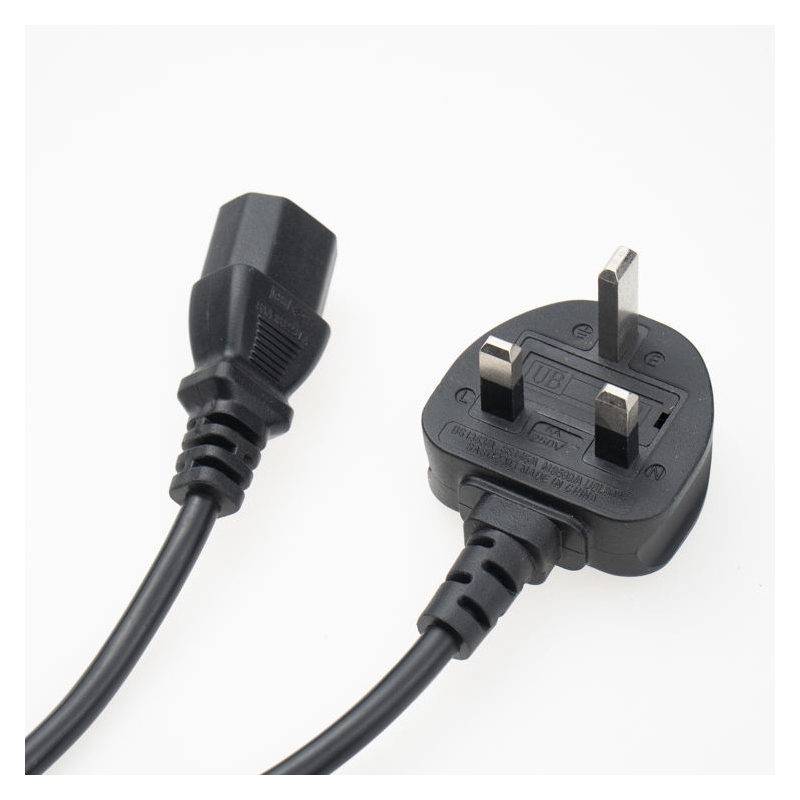
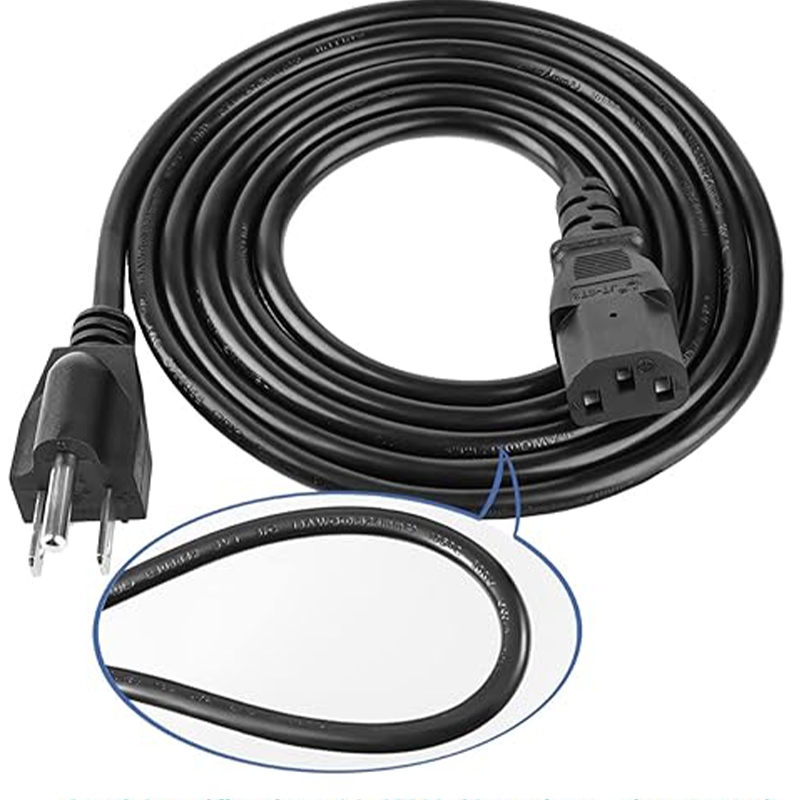
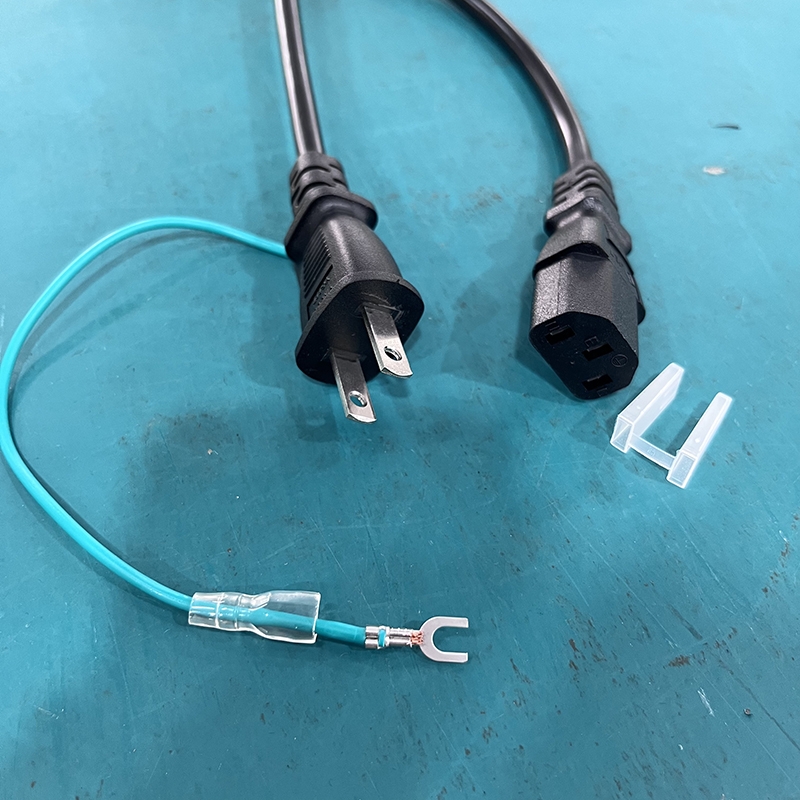
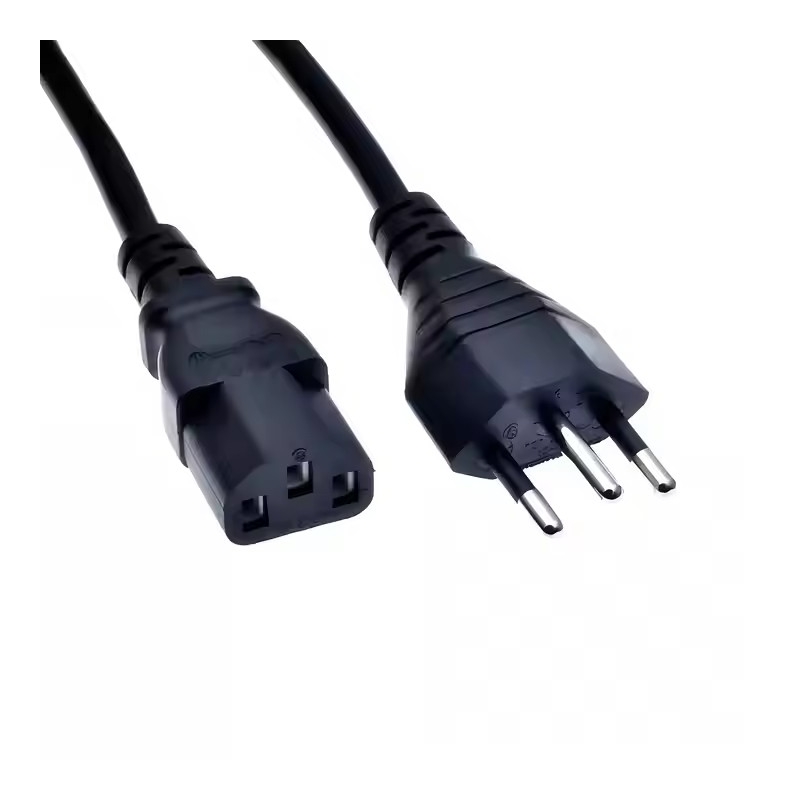
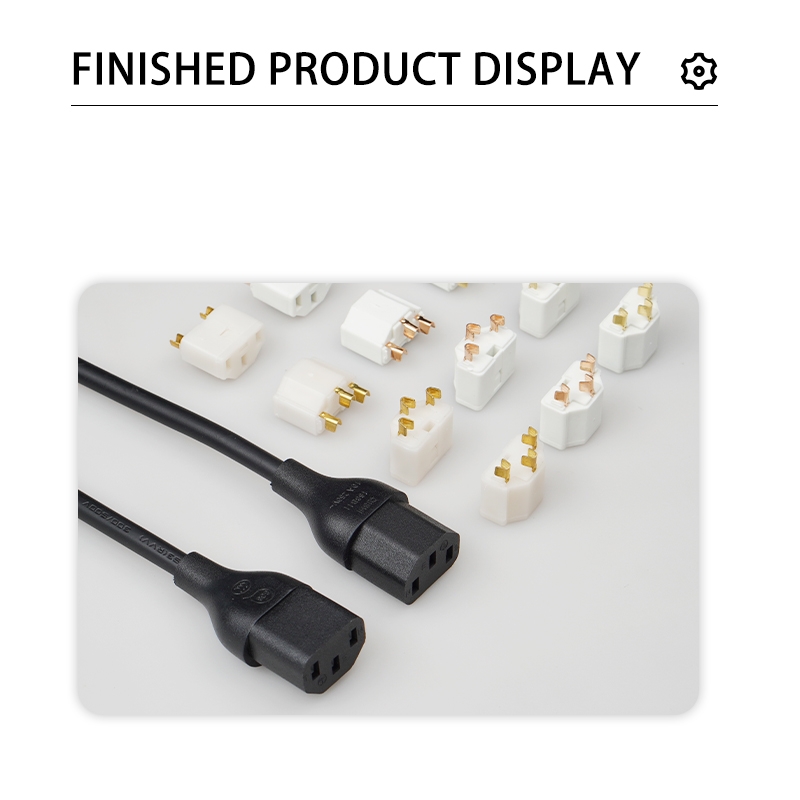
A computer power cord connects a desktop PC's power supply to a wall outlet. In North America, the most common configuration is a NEMA 5-15P plug on one end and an IEC 60320 C13 connector on the other. The same type of cord is also widely used for monitors, printers, workstations, and other electronic equipment.
However, choosing the right computer power cord involves more than checking whether the connector fits.
The cord must have an appropriate current rating, conductor gauge, insulation, connector configuration, and safety certification for the equipment and operating conditions.
One common mistake is choosing a cord based only on the wattage printed on a computer power supply (PSU). A PSU rated DC output is not the same as its AC input current. Conversion efficiency, power factor, and input voltage all affect the current drawn from the outlet.
This guide explains how to understand computer power cord specifications, compare 18AWG, 16AWG, and 14AWG cables, check C13 and C19 connectors, and select a suitable cord for office computers, gaming PCs, and high-performance workstations.
1. What Is a Computer Power Cord?
1.1 The Two Main Connectors: NEMA 5-15P and IEC C13
A standard North American desktop computer power cord usually has two different connectors:
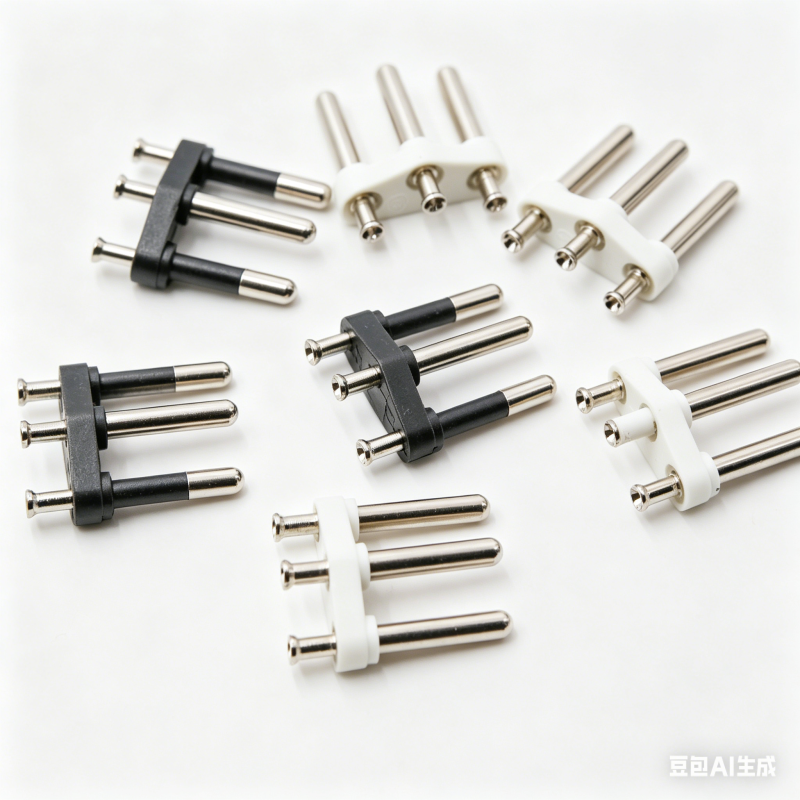
- NEMA 5-15P plug: The three-prong wall plug with two flat blades and one grounding pin. Its common North American rating is 15A at 125V.
- IEC 60320 C13 connector: The female appliance connector that fits the C14 inlet on the back of a desktop computer power supply.
The C13/C14 connector system is widely used in computers, monitors, servers, networking equipment, and other electrical devices.
Typical international C13/C14 configurations are rated at 10A/250V. Certain North American-approved versions are rated up to 15A/250V. The actual rating depends on the specific connector and applicable certification.
It is important to distinguish between the connector rating and the rating of the complete power cord assembly. The plug, cable, connector, and certification must all be suitable for the intended application.

1.2 Why Do Monitors and PCs Use the Same Power Cord?
Many desktop computers and monitors use the same IEC C14 appliance inlet.
This makes the C13 power cord a common solution for different types of electronic equipment.
For example, a standard C13 power cord may be used with:Desktop computersComputer monitorsOffice printersProjectorsWorkstationsNetworking equipmentCertain audio and video devices
A monitorpower cord can sometimes be reused for a desktop PC, provided that its connector configuration, voltage rating, current rating, and certification are suitable for the computer requirements.
The fact that two connectors physically fit does not automatically mean the cord is electrically suitable.

2. How to Calculate the AC Current Required by Your Computer
2.1 PSU Output Wattage Is Not the Same as AC Input Power
A computer power supply converts AC electricity from the wall outlet into DC power for the computer internal components.
For example, an 850W PSU is designed to provide up to 850W of DC output under its specified operating conditions. It does not necessarily draw exactly 850W from the wall.
Some electrical energy is lost during conversion and becomes heat.
The relationship is:
AC Input Power = DC Output Power ÷ PSU Efficiency
However, calculating the actual AC input current requires one additional parameter: power factor (PF).
For a single-phase AC power supply, the approximate RMS input current is:
AC Input Current (A) = DC Output Power (W) ÷ [AC Voltage (V) × Efficiency × Power Factor]
Where:
- DC Output Power is the power delivered by the PSU.
- AC Voltage is the voltage supplied by the electrical outlet.
- Efficiency is the PSU's conversion efficiency expressed as a decimal.
- Power Factor (PF) is the ratio of real power to apparent power.
For example, assume a computer PSU delivers 1,000W of DC output, operates at 90% efficiency, and has a power factor of 0.90.
At 120V:
AC Input Current = 1,000 ÷ (120 × 0.90 × 0.90)
AC Input Current ≈ 10.29A
This is a more realistic estimation method than simply dividing the PSU's output wattage by the outlet voltage.
Important: The calculation is an engineering estimate, not a substitute for the PSU manufacturer maximum AC input current specification. When selecting a power cord, always check the PSU nameplate or technical datasheet first.
2.2 How 80 PLUS Gold Efficiency Affects Power Consumption
An 80 PLUS Gold power supply does not operate at a fixed 90% efficiency under every load condition.
Its efficiency changes depending on operating load and input voltage.
For example, under the 115V internal non-redundant PSU testing requirements, 80 PLUS Gold specifies minimum efficiency levels of:
| Load Level | Minimum Efficiency |
|---|---|
| 20% Load | 87% |
| 50% Load | 90% |
| 100% Load | 87% |
These figures explain why using 90% efficiency for every operating condition can produce inaccurate current estimates.
For practical cord selection, use the PSU manufacturer's specified maximum AC input current whenever available.
2.3 Computer Power Cord Current Calculation Table
The following table provides illustrative calculations using:
- AC input voltage: 120V
- PSU efficiency: 90%
- Power factor: 0.90
| PSU DC Output | Estimated AC Input Power | Estimated AC Input Current |
|---|---|---|
| 450W | 500W | 4.63A |
| 650W | 722W | 6.69A |
| 850W | 944W | 8.74A |
| 1,000W | 1,111W | 10.29A |
| 1,200W | 1,333W | 12.35A |
| 1,600W | 1,778W | 16.46A |
These figures are mathematical examples, not universal ratings for computer power supplies.
Actual input current depends on PSU efficiency, power factor, operating load, and input voltage.
Two practical considerations are especially important:
1. Real computer loads are often lower than the PSU rated output.
A 1,000W PSU does not continuously deliver 1,000W to the computer. A gaming PC that draws 550W DC, for example, may require substantially less AC input current than the full-load calculation suggests.
However, the maximum rated input current must still be considered when selecting the cord.
2. Higher input voltage generally means lower current for the same power.
For the same real power and power factor, a 230–240V supply draws approximately half the current of a 115–120V supply.
This is one reason why computer power cords used in different markets can have different connector and current-rating configurations.
3. Computer Power Cord Gauge Guide: 18AWG vs. 16AWG vs. 14AWG
Wire gauge is one of the most important specifications when choosing a computer power cord.
AWG stands for American Wire Gauge. A lower AWG number indicates a larger conductor diameter.
For example:
- 18AWG is thinner than 16AWG.
- 16AWG is thinner than 14AWG.
- 14AWG generally has lower conductor resistance than 18AWG when other construction factors are comparable.
3.1 Comparison of Common Computer Power Cord Gauges
| Cord Type | Conductor Gauge | Typical Application | Key Consideration |
|---|---|---|---|
| 18/3 | 18AWG, 3 conductors | Office PCs, monitors, printers | Suitable only when the complete cord assembly has an adequate rating |
| 16/3 | 16AWG, 3 conductors | Higher-load desktop PCs and workstations | Provides a larger conductor than 18AWG |
| 14/3 | 14AWG, 3 conductors | Higher-current applications and longer runs | Must still match connector and assembly ratings |
The 18/3, 16/3, and 14/3 designations indicate the number of conductors and the conductor gauge. They do not independently establish the allowable current.
Actual current ratings depend on the cable type, insulation, conductor material, length, connector ratings, applicable standards, and certification of the complete assembly.
3.2 What Does 18/3, 16/3, or 14/3 Mean?
The number before the slash identifies the AWG conductor size.
The number after the slash indicates the number of insulated conductors.
For example:
- 18/3 = Three 18AWG conductors.
- 16/3 = Three 16AWG conductors.
- 14/3 = Three 14AWG conductors.
A typical grounded computer power cord contains three conductors:
- Line (L)
- Neutral (N)
- Protective Ground (G)
For a standard NEMA 5-15P to C13 cord, all three conductors are required for the intended grounded configuration.
3.3 Why Do Some Computer Power Cords Have Different Ratings?
Two power cords with the same AWG size may have different current ratings.
This is because the conductor gauge is only one part of the complete cable specification.
Other factors include:
- Cable construction, such as SJT or SVT
- Copper conductor quality
- Insulation and jacket materials
- Temperature rating
- Cable length
- Plug and connector ratings
- Applicable UL, CSA, or other safety requirements
For example, an 18AWG cord with a particular certified construction may carry a 10A rating, while another 18AWG product with a different construction may have a different rating.
Always check the actual product marking and manufacturer documentation rather than selecting a cord based on AWG alone.
4. Are PC Power Cords Interchangeable?
4.1 Can You Use a Monitor Power Cord for a Desktop PC?
In many cases, yes.
If both devices use a C14 inlet, a C13 power cord may physically connect to either device.
However, the cord must also meet the computer electrical requirements.
Before reusing a monitor power cord, check:
- The current rating printed on the cable or connector.
- The conductor gauge.
- The voltage rating.
- The connector condition.
- The applicable safety certification.
Monitor power cords are often designed for relatively low-power loads. A cord suitable for a monitor is not automatically suitable for a high-performance desktop computer.
4.2 Can You Replace an 18AWG Cord with a 16AWG Cord?
Yes, provided the replacement cord has compatible connectors, voltage ratings, and appropriate certification.
Using a larger conductor can reduce conductor resistance and provide additional electrical capacity, but it does not override the rating of the plug, connector, or complete assembly.
For example, replacing a suitable 18AWG computer power cord with a properly rated 16AWG cord is generally a reasonable upgrade.
However, a thicker cable is not automatically safer if its connector or plug is poorly manufactured.
4.3 What Happens If You Use an Underrated Power Cord?
Using a cord with an insufficient current rating can cause excessive heating.
Potential consequences include:
- Increased conductor temperature
- Insulation deterioration
- Connector overheating
- Contact damage
- Increased risk of electrical failure
For example, if a computer draws more current than the cord assembly is rated for, the cable and connectors may operate outside their intended conditions.
The correct solution is to select a complete power cord assembly with an adequate rating for the equipment.
5. Monitor Daisy-Chain Power Cords: C13 to C14 Connections
Some professional monitors and display equipment include an IEC power output that allows another device to receive power through the monitor.
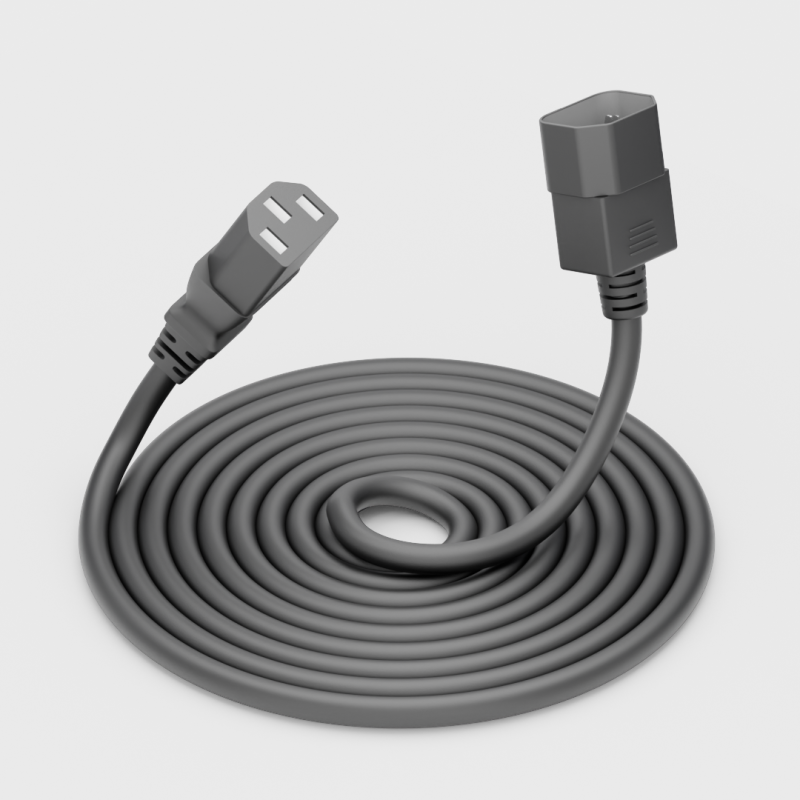
This arrangement may use a C13-to-C14 jumper cable, depending on the equipment's connector configuration.
These connections can be useful in office environments, equipment installations, and certain workstation setups.
However, the total current must remain within the ratings of:
- The upstream power cord
- The monitor power inlet
- The monitor power output
- The jumper cable
- The connected equipment
For example, connecting multiple monitors and a desktop computer through one upstream power cord does not increase the cord's available current capacity.
The combined load must remain within the lowest applicable rating in the entire power path.
Always check the monitor manufacturer's instructions before using a power pass-through connection.
6. C13, C19, and Computer Power Cords for Rack Equipment
Computer power cords are not limited to desktop PCs.
They are also widely used in servers, data centers, networking equipment, and power distribution units (PDUs).
6.1 C13/C14 Power Cords
The C13 connector is commonly used with:Desktop computersMonitorsServersNetwork switchesOffice equipmentPower distribution equipment
Typical international ratings are 10A/250V, while certain North American-approved configurations are rated higher.
6.2 C19/C20 Power Cords
C19/C20 is a larger IEC connector system commonly used for higher-current equipment.
Typical applications include:
- High-power servers
- Enterprise networking equipment
- Data center PDUs
- Professional amplifiers
- High-power computing equipment
International C19/C20 configurations commonly use a 16A/250V rating, while certain North American versions are rated up to 20A/250V.
The actual rating must be verified for the specific product and market.
A C19 connector is not a direct substitute for a C13 connector. The equipment inlet determines which connector is required.

6.3 When Should You Choose a C19 Power Cord?
Some high-power PSUs use C19/C20 connections instead of standard C13/C14 connections.
However, PSU wattage alone does not determine whether a C19 cord is required.
Before purchasing a cord for a high-performance workstation or server, check:
1. The PSU AC input current.
2. The equipment inlet type.
3. The required voltage and current rating.
4. The manufacturer specified power cord configuration.
5. The electrical supply and applicable certification requirements.
Never force an incompatible connector or use an unapproved adapter to bypass the equipment's specified configuration.
7. How to Choose a Computer Power Cord for Different PC Setups
Different computer applications have different electrical requirements.
The appropriate cord should be selected according to the equipment maximum input current, connector configuration, and installation conditions.
7.1 Office Desktop Computers
Standard office computers generally use conventional C13 power cords.
Common purchasing considerations include:
- NEMA 5-15P to C13 configuration
- Suitable 18AWG or other approved conductor construction
- Copper conductors
- Appropriate cable length
- Required safety certification
7.2 Gaming PCs
Gaming computers may use higher-capacity power supplies and more powerful graphics cards.
When selecting a cord, check the PSU maximum AC input current rather than relying only on its advertised wattage.
Depending on the equipment specifications, a properly rated 16AWG or larger-conductor cord may be appropriate.
7.3 High-Performance Workstations and AI Computers
Workstations used for rendering, simulation, and AI computing may operate under sustained high loads.
For these applications, cord selection should consider:
- Maximum AC input current
- Sustained operating conditions
- Input voltage
- Connector ratings
- Cable length
- Thermal and installation conditions
High-power equipment may require a different inlet or power distribution configuration.
7.4 Servers and Rack-Mounted Computers
Servers often use C13/C14 or C19/C20 power connections.
Data center installations may also require locking connectors, redundant power supplies, and specific PDU configurations.
The appropriate cord should follow the server or PDU manufacturer requirements.
8. What Makes a High-Quality Computer Power Cord?
A computer power cord is a complete electrical assembly. Its quality depends on more than conductor size.
8.1 Copper Conductor Material
Copper is widely used in computer power cords because of its good electrical conductivity and mechanical properties.
When purchasing power cords, check whether the conductors are made from copper or another material.
Copper-clad aluminum (CCA) should not be treated as equivalent to copper conductors.
Conductor material should be clearly specified in the product documentation.
8.2 Cable Insulation and Jacket Materials
Common power cord jacket materials include PVC and other suitable thermoplastic or elastomeric materials.
The appropriate material depends on:Operating temperatureVoltage ratingMechanical requirementsFlexibilityEnvironmental conditionsApplicable product standards
A 105°C temperature-rated cable may offer a higher insulation temperature capability than a lower-temperature-rated alternative.
However, a 105°C jacket rating does not automatically increase the allowable current of the complete power cord.
The plug, connector, cable, and certification must all be considered together.
8.3 Plug and Connector Quality
The plug and appliance connector are important parts of the complete assembly.
For a computer power cord, check:Contact material and platingTerminal connection qualityHousing materialStrain reliefMolding qualityMechanical durabilityCorrect connector dimensions
Poor contact quality or loose connections can cause localized heating even when the conductor gauge is adequate.
8.4 Safety Certification
Depending on the destination market, computer power cords may require certifications or approvals such as: UL ETLCSAOther applicable national or regional approvals
Certification requirements depend on the product construction, destination market, and intended application.
Check that the certification applies to the complete power cord assembly rather than relying only on a manufacturer general certification statement.
9. Computer Power Cord Buying Checklist: 6 Specifications to Check
Before purchasing a computer power cord, review these six specifications.
| No. | Specification | What to Confirm |
|---|---|---|
| 1 | Connector Configuration | NEMA 5-15P to IEC C13 for common North American desktop PCs; verify the equipment inlet |
| 2 | Wire Gauge | 18AWG, 16AWG, or 14AWG according to the required current rating and cable construction |
| 3 | Conductor Material | Copper conductor specification; avoid treating CCA as equivalent to copper |
| 4 | Cable Jacket | Appropriate insulation material, temperature rating, and voltage rating |
| 5 | Safety Certification | Applicable UL, ETL, CSA, or other market-specific approval |
| 6 | Cable Length | Select a suitable length while considering voltage drop, installation conditions, and cable rating |
A well-selected power cord should meet the equipment manufacturer requirements and the relevant safety standards.
10. Common Computer Power Cord Problems: Loose Plugs, Heat, and Damage
Even a properly rated power cord can develop problems because of wear, damaged connectors, or poor electrical contact.
10.1 Loose C13 Connector
A loose C13 connector may result from a worn equipment inlet, damaged connector housing, or poor manufacturing quality.
A loose connection can increase contact resistance and cause localized heating.
Replace damaged or loose components rather than attempting to bend connector contacts or modify the inlet.
10.2 Power Cord or Plug Overheating
Excessive heat may indicate:
- An overloaded cord
- Poor electrical contact
- Damaged connector terminals
- An underrated cable assembly
- A defective equipment inlet
If a plug becomes unusually hot, discolored, or produces a burning smell, stop using the equipment and have the cord and inlet inspected.
Do not assume that a thicker cable alone will solve a defective connector problem.
10.3 Sparking When Plugging In
Power supplies contain input capacitors that can produce a momentary inrush current when connected to AC power.
However, repeated sparking, visible arcing, burning smells, or damaged contacts should not be ignored.
Disconnect the equipment safely and have the power connection inspected.
10.4 Power Cord Problems After Upgrading a GPU
A graphics card upgrade can increase the computer's power consumption.
If the PSU remains unchanged, the new system load may still be higher than before.
Check the PSU maximum AC input current and verify that the power cord, connector, and electrical supply remain suitable.
10.5 Computer Power Cord Is Too Short
A cable that is too short may create mechanical tension at the connector.
Choose a suitable length that allows the cable to reach the outlet without excessive bending, pulling, or compression.
For longer cords, consider conductor size, voltage drop, current rating, and the manufacturer& approved cable construction.
11. OEM and ODM Computer Power Cord Manufacturing
For computer brands, power supply manufacturers, IT equipment suppliers, and electrical product wholesalers, choosing a computer power cord involves more than selecting a connector that fits.
The complete cord assembly must match the required electrical rating, conductor specification, cable construction, and applicable safety requirements.
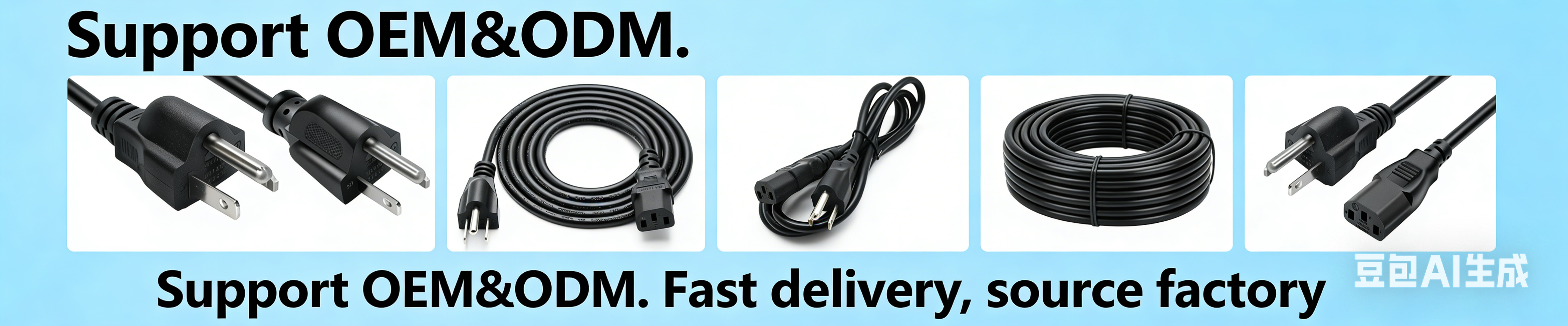
As a computer power cord manufacturer, we support OEM and ODM requirements for different power cord configurations and applications.
11.1 Custom Computer Power Cord Configurations
Common configurations include:
- NEMA 5-15P to IEC C13
- IEC C13 to IEC C14 jumper cords
- IEC C19 to IEC C20 power cords
- Straight and right-angle connector configurations
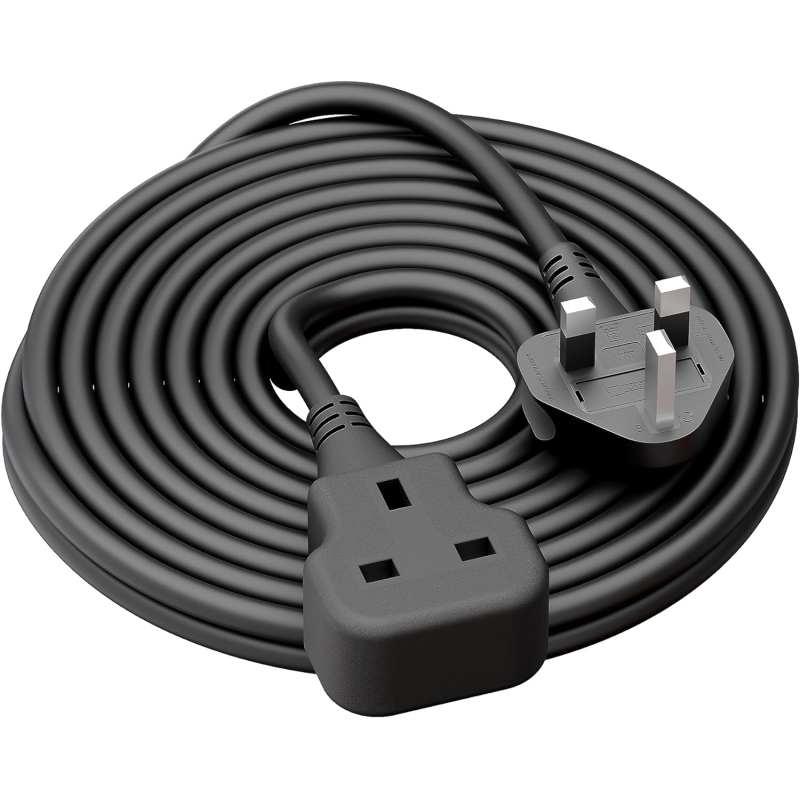
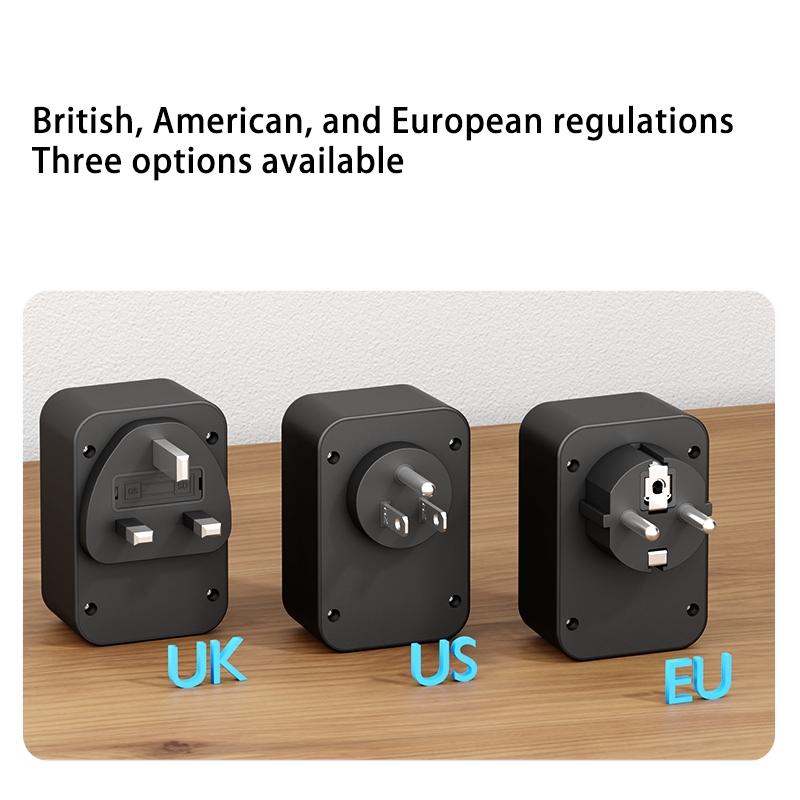
- Different plug types for international markets

11.2 Available Cable Specifications
Depending on project requirements, customized options may include:
- 18AWG, 16AWG, and 14AWG conductors
- Different cable constructions
- PVC and other suitable jacket materials
- Customized cable lengths
- Different colors
- Customized plug and connector configurations
Actual specifications are confirmed according to the target market, electrical requirements, and certification scope.
11.3 OEM and ODM Support
For distributors, wholesalers, and equipment manufacturers, OEM and ODM services may include:
- Customized power cord specifications
- Cable and connector selection
- Product labeling and packaging
- Sample development
- Product drawings and technical documentation
- Production and quality inspection arrangements
If you are sourcing NEMA 5-15P to C13 computer power cords or other IEC power cord assemblies, contact our team to discuss your technical specifications and project requirements.
12. Frequently Asked Questions About Computer Power Cords
What Power Cord Does a Desktop PC Use?
Most desktop computers in North America use a NEMA 5-15P to IEC C13 power cord.
The C13 connector fits the C14 inlet on the computer power supply.
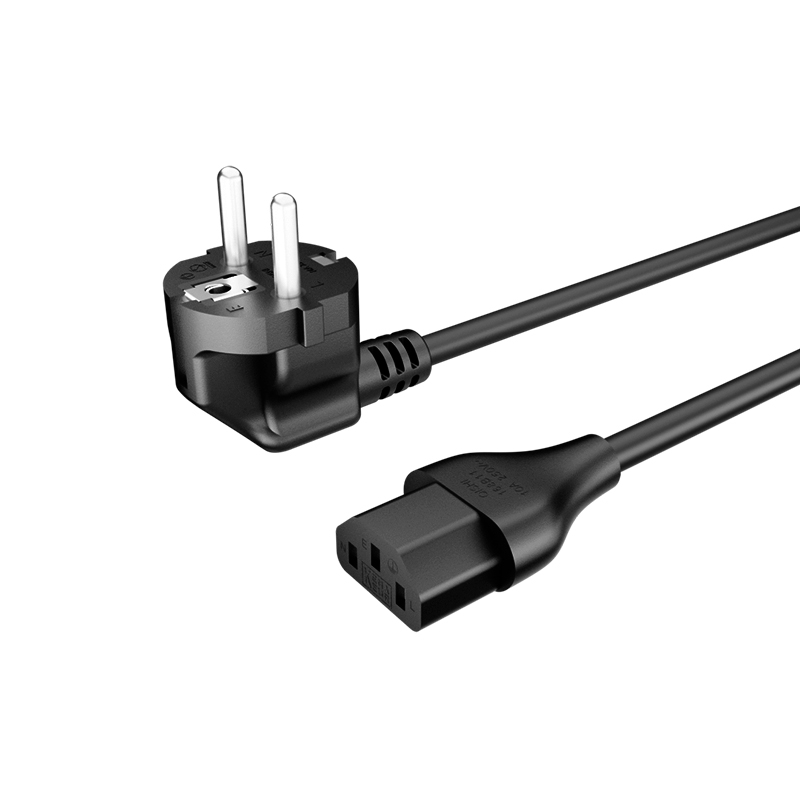
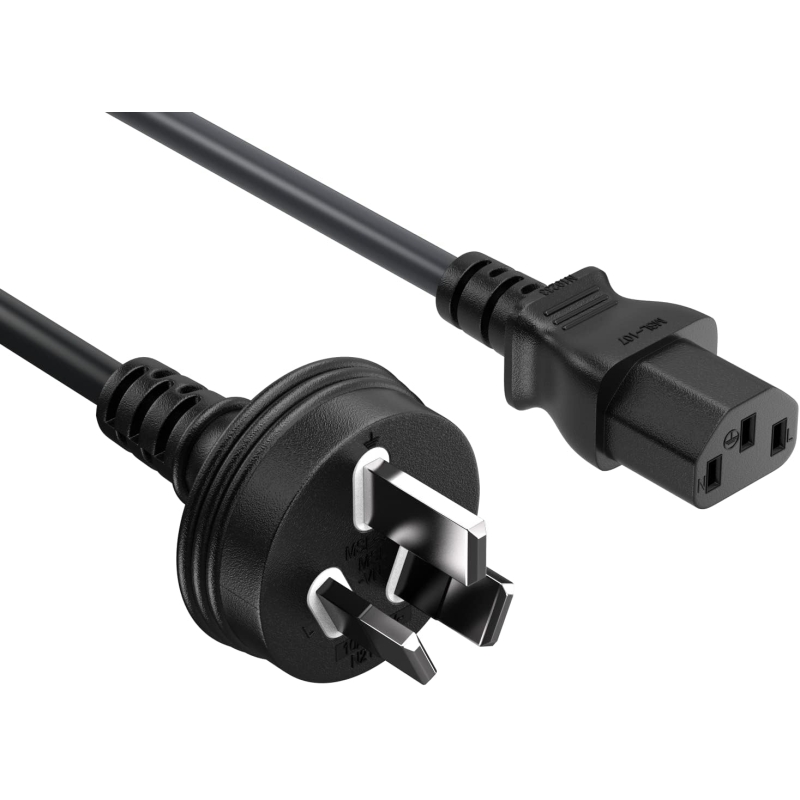
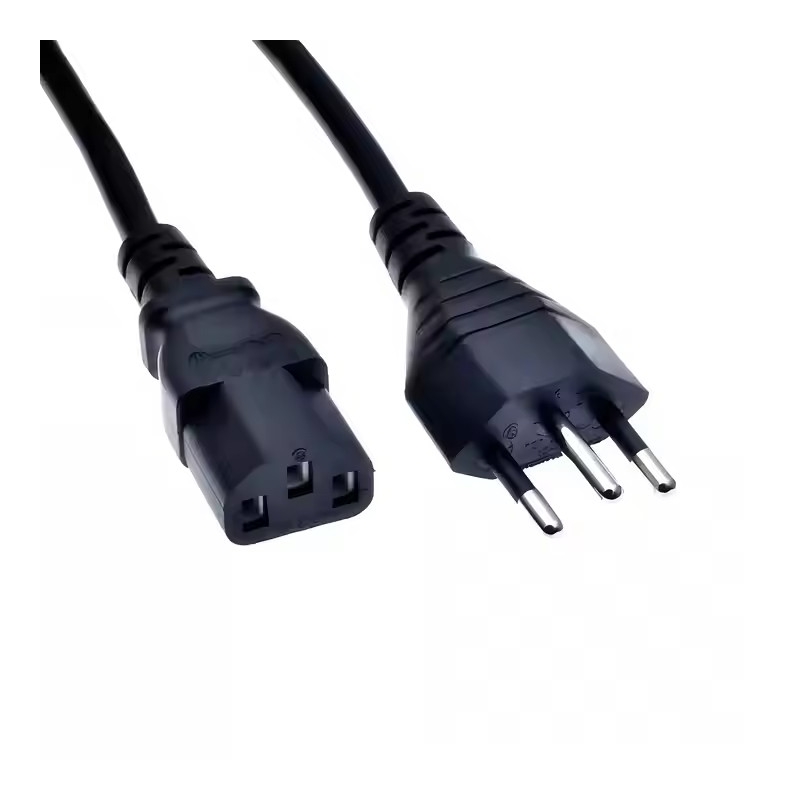
Other countries may use different wall plug configurations while retaining the same IEC appliance connector.
How Many Watts Can a Computer Power Cord Handle?
There is no single wattage limit for every computer power cord.
The allowable power depends on the current rating of the complete cord assembly and the operating voltage.
A simplified relationship is:
Power (W) = Voltage (V) × Current (A)
However, for AC electronic equipment, power factor and actual input conditions must also be considered.
Always check the cord rated current, voltage, and certification.
Do I Need a Special Power Cord for a 1000W PSU?
Not necessarily, but you must check the PSU maximum AC input current.
A 1,000W PSU operating at 120V may draw approximately 10.29A under the illustrative assumptions of 90% efficiency and 0.90 power factor.
The selected power cord must have an adequate rating for the actual equipment requirements.
Do not select a cord based on the PSU DC output wattage alone.
Can I Use My Monitor's Power Cord for My PC?
Yes, if the monitor cord has the correct connectors and its voltage, current, and safety ratings meet the computer requirements.
A cord that works with a low-power monitor is not automatically suitable for a high-power gaming PC.
Why Does My PC Power Cord Get Warm?
Possible causes include high operating current, poor connector contact, damaged terminals, or an underrated cable assembly.
Excessive heat, discoloration, or burning smells require immediate attention.
Stop using the cord and inspect the equipment inlet and electrical connections.
What Is the Difference Between C13 and C19 Power Cords?
C13 and C19 are different IEC connector types.
C13/C14 is commonly used for desktop computers, monitors, and many servers.
C19/C20 is a larger connector system commonly used for higher-current equipment, including certain servers and data center PDUs.
The equipment inlet determines which connector is required.
Is a 16AWG Power Cord Better Than an 18AWG Power Cord?
A 16AWG conductor is larger than an 18AWG conductor and generally has lower resistance.
However, the complete cord assembly current rating also depends on cable construction, connectors, insulation, and certification.
Choose according to the equipment requirements rather than assuming that a lower AWG number automatically guarantees suitability.
What Is the Difference Between 18/3 and 18AWG?
18AWG identifies the size of an individual conductor.
18/3 indicates that the cable contains three 18AWG conductors.
For a grounded computer power cord, the three conductors are typically line, neutral, and protective ground.
Conclusion: Choose a Computer Power Cord by Its Complete Rating
Choosing the right computer power cord is not simply a matter of matching PSU wattage to cable gauge.
You need to consider the PSUmaximum AC input current, operating voltage, power factor, conductor size, connector rating, cable construction, and applicable safety certification.
For common desktop computers, NEMA 5-15P to IEC C13 is a widely used configuration. Depending on the application, 18AWG, 16AWG, or 14AWG cable constructions may be suitable when their complete assembly ratings meet the equipment requirements.
For high-performance workstations and servers, always verify the manufacturer specified inlet and power cord requirements.
For OEM and ODM buyers, selecting the right power cord also involves material quality, connector compatibility, certification, cable length, and consistent manufacturing quality.
A properly specified computer power cord helps ensure a reliable connection between the electrical supply and the equipment it powers.



 Email
